Firestarter guides
How to Make a KDA Firestarter Dance AI Video (2026 Guide)
Upload one clear photo, pick a Firestarter template, generate a silent 9:16 clip and add the trending sound in TikTok. Here is the full workflow, step by step.
What's new on this page
- — First published
To make a KDA Firestarter dance AI video, you need one clear photo of the subject, an image-to-video tool with a Firestarter-style motion template, and a TikTok or Reels account to add the official sound. The whole process takes about five minutes once the generator is open, and you never have to learn the choreography yourself.
This guide walks through every step, from choosing the right photo to posting a clip that does not get muted.
What is a KDA Firestarter dance AI video?
K/DA, the virtual K-pop group from League of Legends, returned on October 19, 2026 with "FIRESTARTER", their first single in six years. The music video was animated with Fortiche, the studio behind Arcane, and the comeback racked up millions of views within hours.
The Kai'Sa solo section quickly became a TikTok trend. Some creators film themselves doing the dance. Others use AI: they upload a single photo and let an image-to-video model animate that person, character or pet with the same rhythm and energy. That second format is what people mean by a "KDA Firestarter dance AI video".
What you need before you start
| Item | Why it matters |
|---|---|
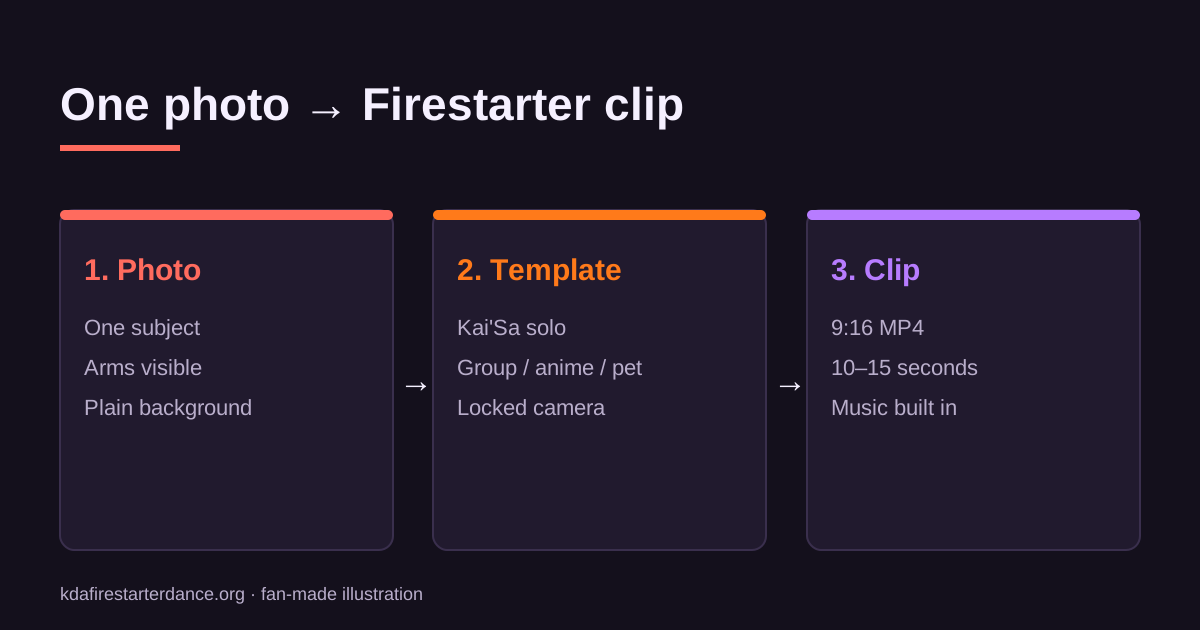
| One photo, JPG/PNG/WebP, under 10 MB | The model reads face, outfit and body shape from it |
| A single subject in the frame | Two people confuse the motion transfer |
| Arms and shoulders visible | Dance motion needs limbs to move |
| Rights to the photo | Yourself, someone who agreed, your pet or your own art |
| A TikTok, Reels or Shorts account | That is where you add the licensed sound |
You do not need a video of yourself, a motion-capture file, a prompt or any editing software.
Step 1: Pick a photo that animates well
The photo decides most of the result. A good reference photo is:
- Half-body or full-body, not a tight headshot. The AI has to invent anything it cannot see, and invented arms are where most glitches come from.
- Evenly lit from the front. Strong backlight turns your outline into a silhouette.
- On a plain background. Busy rooms and crowds make the edges of your body harder to track.
- In fitted clothing. Loose fabric and long scarves tend to warp during spins.
If you are animating an OC or anime character, use a clean full-body illustration with no text or speech bubbles over the figure. For pets, a photo where the whole animal is visible beats a cute close-up.
Our photo guide for AI dance videos shows good and bad examples in more detail.
Step 2: Choose a Firestarter template
Templates lock the camera, framing and motion reference so you are not gambling on a text prompt. On this site you can choose between:
- Kai'Sa Firestarter Dance — the viral solo section, the most popular choice.
- K/DA Group Dance — you lead a four-member formation.
- Anime Character Firestarter Dance — keeps an illustrated art style.
- Pet Firestarter Dance — cats and dogs on stage.
- Firestarter MV Poster — a still image for a cover frame or profile picture.
If you are unsure, start with the Kai'Sa template. It matches what people are already searching for and watching.
Step 3: Generate the clip
Upload your photo in the generator, confirm you have the right to use it, and press generate. Dance clips are 10 to 15 seconds long, vertical 9:16 and delivered as MP4. Rendering a video usually takes a few minutes, so you can leave the tab open while it works.
The generator is currently in early access. Pressing generate adds you to the waitlist, and we email you the moment rendering opens.
Step 4: Add the FIRESTARTER sound inside the app
The clip you download is silent on purpose. Adding the song inside TikTok, Instagram or YouTube uses the platform's music licence, which means your video is far less likely to be muted or removed.
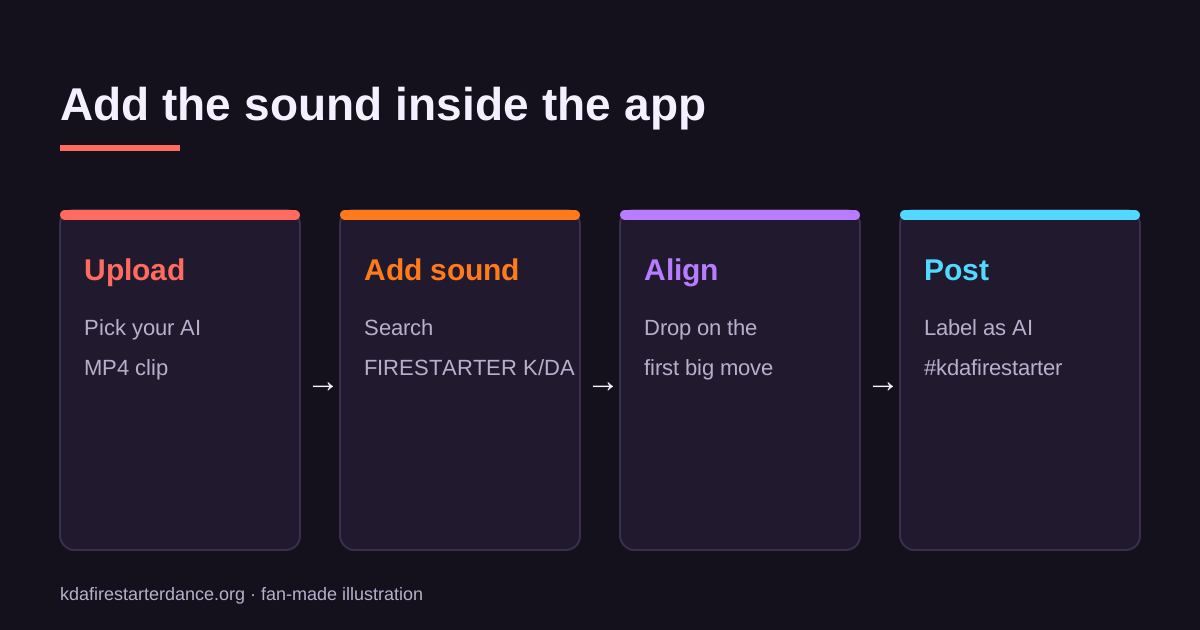
In TikTok, upload the clip, tap Add sound, search "FIRESTARTER K/DA" and pick the official audio. Line up the beat drop with the first big move, which is usually the first second of the clip. The TikTok help centre explains the exact controls. We cover the full process in how to add the FIRESTARTER sound to an AI dance video.
Step 5: Post it with the right tags
Use the tags the trend already lives under, such as #kdafirestarter, #firestarterkda, #kaisa and #kda. Add a short caption, and say that the clip is AI-generated. TikTok asks creators to label realistic AI content, and doing it yourself avoids a takedown.
Troubleshooting
The arms look melted or doubled. Your photo probably hides the arms or crops them at the elbow. Try a half-body shot with both arms fully in frame.
The face changes between frames. Use a sharper, front-facing photo with no sunglasses or heavy beauty filter.
The background warps. Busy backgrounds move with the body. A plain wall or an outdoor shot with a clean sky gives a steadier result.
My clip got muted. You probably added the song in an external editor. Remove it and re-add it from the platform's sound library.
FAQ
Is this an official K/DA or Riot Games tool? No. It is a fan-made tool and is not affiliated with Riot Games, K/DA or Fortiche.
Can I use a photo of a celebrity? No. Use only yourself, people who agreed, your own pet or art you own.
How much does it cost? MV-style posters will be free every day at low resolution. Dance clips will use credits from one-time packs. See pricing.
Ready to try it? Pick a template on the homepage and join the early-access list.
Related KDA Firestarter Dance AI guides